Property Setting Enhancements
The static denomination values configured for USD in the property settings (All Settings ➜ General ➜ Property, Buildings & Outlets ➜ Language & Locale ➜ Currency section) will continue to be displayed. Additionally, an Edit hyperlink will be displayed for the Denomination field that allows users to define supported denomination values based on the selected currency.
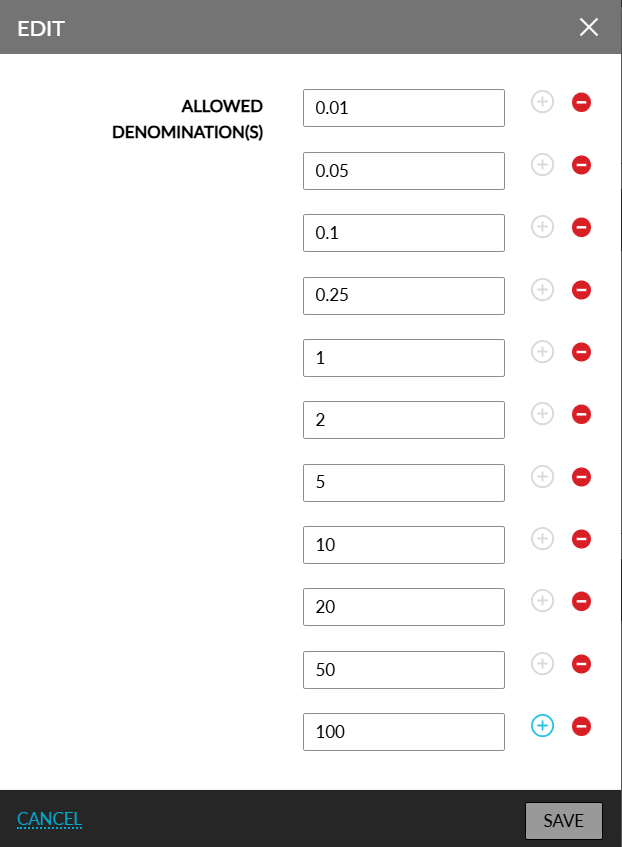
When clicked, the Edit pop-up screen appears that allows the property to define the smallest currency units that can be used for payments (For example, 0.05, 0.10, 1.00, and so on). Denomination values can be configured for each currency. Duplicate values cannot be configured. Upon clicking Save, the entered values are validated, and messages are displayed when the following validations are not successful:
-
Entered values are invalid
-
Duplicate values are entered
-
Values for mandatory fields are missing
Rounding Based on Configured Denominations
When an amount does not match any of the configured denomination values, the selected offset rule (Down, Nearest, or Up) will be applied to determine the final payable amount. All payment amounts will always be rounded based on the currently configured denomination values.
USD and Non-USD Currency Behavior
For the USD currency, the existing denominations will be retained but can be modified if required. The following are existing denominations for the USD currency type:
-
$0.01
-
$0.05
-
$0.10
-
$0.25
-
$1.00
-
$2.00
-
$5.00
-
$10.00
-
$20.00
-
$50.00
-
$100.00
Users can configure new denominations using the Edit hyperlink. When users click Save, the denomination values will be saved in the ascending order.
For non-USD currencies, users can configure decimal denomination values using the Edit hyperlink.
When the hyperlink is clicked, the following fields will be displayed in the Edit pop-up screen:
|
Field |
Description |
|---|---|
|
Allowed Denomination(s) |
Allows users to enter the denomination values. |
|
Add icon |
When clicked, a new row appears that allows users to configure additional denomination values. |
|
Delete |
When clicked, the corresponding denomination value will be deleted. |
The Delete icon will be disabled when only one denomination exists for the currency value. When a shift is active and a denomination has a non-zero count, the users will not be allowed to remove that denomination. When the denomination count is zero during an active shift, users can remove the denomination.
When a denomination has been used in the Start Shift and the user attempts to remove it from the setup, the denomination cannot be removed, and the following message will be displayed: The denomination can be removed only when the shift is not active.
Users with the existing ManagePropertyFormats permission assigned can add or modify property currency denominations.